
Trilium
Free, open-source note-taking application with a hierarchical tree structure, built for large personal knowledge bases, with sync and encryption.
 Evernote
 Notion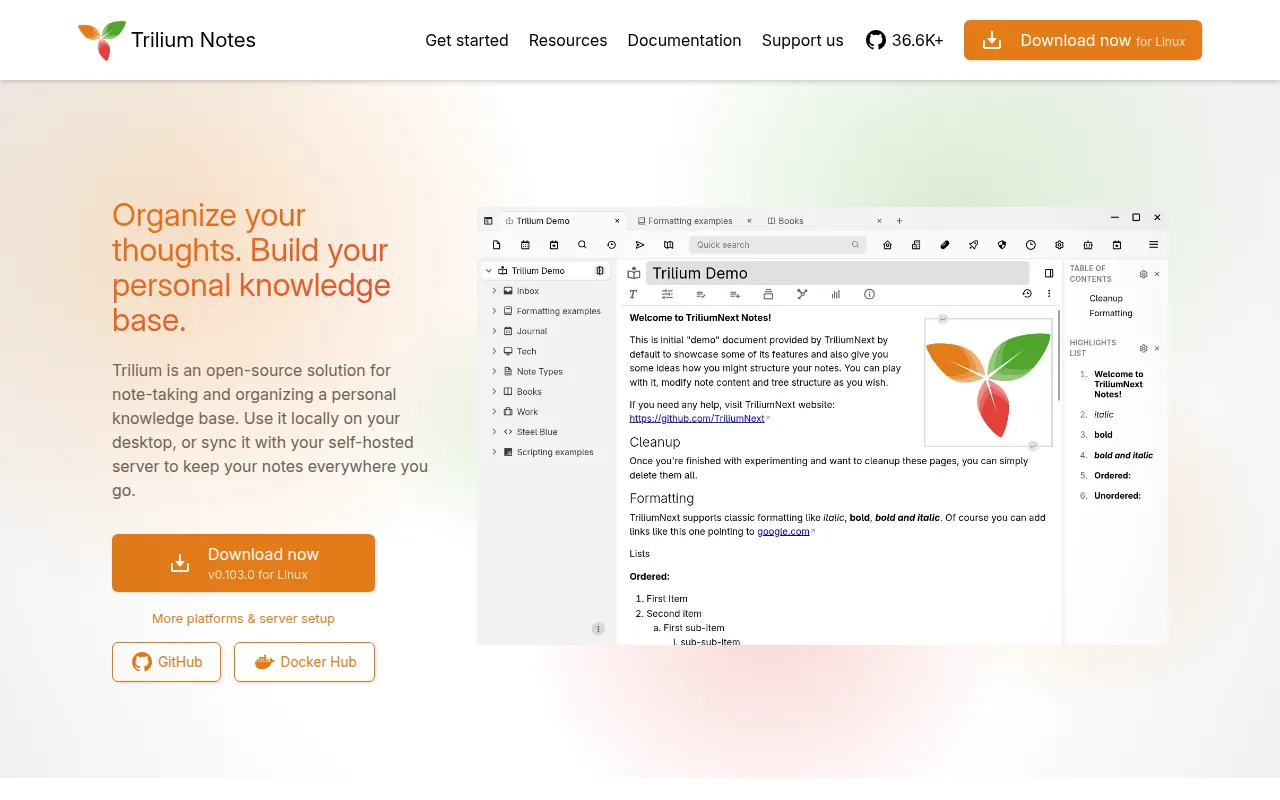
Trilium Notes is a free and open-source, cross-platform note-taking application built around a hierarchical tree structure, aimed at people building large personal knowledge bases rather than jotting quick notes. It's the community-maintained continuation of the original zadam/Trilium project, now developed under the TriliumNext organization, and it scales in both usability and performance well past 100,000 notes.
Key features
- Arbitrarily deep note tree: Notes are organized in a tree of any depth, and a single note can be cloned into multiple places in that tree rather than being duplicated.
- Rich WYSIWYG editor: The editor supports tables, images, and math, with markdown autoformatting as you type.
- Code notes with syntax highlighting: Notes can hold source code with proper syntax highlighting, useful for keeping technical references alongside regular notes.
- Note versioning: Revisions are tracked automatically, so you can look back at earlier versions of a note.
- Attributes and scripting: Notes support attributes for organization, querying, and scripting, enabling advanced automation and custom workflows within your knowledge base.
- Encryption and secure login: Notes can be encrypted with per-note granularity, and the app supports OpenID and TOTP for more secure authentication.
- Sync across devices: A self-hosted sync server keeps notes synchronized between installations, with third-party services also available for hosting the sync server.
- Sharing and export: Notes can be published to the public internet, and Evernote and Markdown import/export are both supported.
- Visual note types: Beyond plain text, Trilium includes canvas notes based on Excalidraw, relation and note/link maps built with jsPlumb, mind maps based on Mind Elixir, and geo maps with location pins and GPX track support.
- REST API: An ETAPI-based REST API is available for automating interactions with your notes.
Ideal use cases
Trilium fits people building a large, structured personal knowledge base over years, where a hierarchical tree, note cloning, attributes, and scripting matter more than the lightweight, flat note-taking of simpler apps. Its scripting and REST API make it a reasonable fit for people who want to automate parts of their note workflow, and its sync server plus mobile-optimized frontend support using it across desktop, browser, and phone.
It's less suited to someone who just wants a minimal, distraction-free notes app; Trilium's feature set (relation maps, scripting, attributes, multiple note types) carries a learning curve that's overkill for jotting occasional notes. Native mobile support is also still evolving: the official recommendation for mobile is the web interface of a server installation, with community-built native apps (TriliumDroid, Pocket Trilium, Trinote) as alternatives rather than first-party apps.
Installation
Windows / macOS: Download the binary release for your platform from the latest release page, unzip it, and run the trilium executable.
Linux: Use your distribution's package if it's listed in the project's packaging status table, or download the binary release directly. A Flatpak build is also provided, though not yet published on Flathub.
Browser: Any OS can access Trilium through the web interface of a server installation, which is nearly identical to the desktop app. Only the latest versions of Chrome and Firefox are tested and supported.
Mobile: Use a mobile browser to reach the mobile interface of a server installation, or use a community-built native app such as TriliumDroid (Android), Pocket Trilium (Android, full offline support), or Trinote (iOS).
Server: For self-hosted server installation, including via Docker, follow the official server installation docs.
To build from source and run the server locally for development:
git clone https://github.com/TriliumNext/Trilium.git
cd Trilium
pnpm install
pnpm run server:start
The server runs at http://localhost:8080. Documentation contributions and desktop app builds use similar pnpm-based workflows, detailed in the Developer Guide.
Frequently asked questions






Similar to Trilium


