
SiYuan
SiYuan is a self-hosted, block-based note-taking app with two-way references, a Markdown WYSIWYG editor, and flashcard review built in.
 Notion
 Roam Research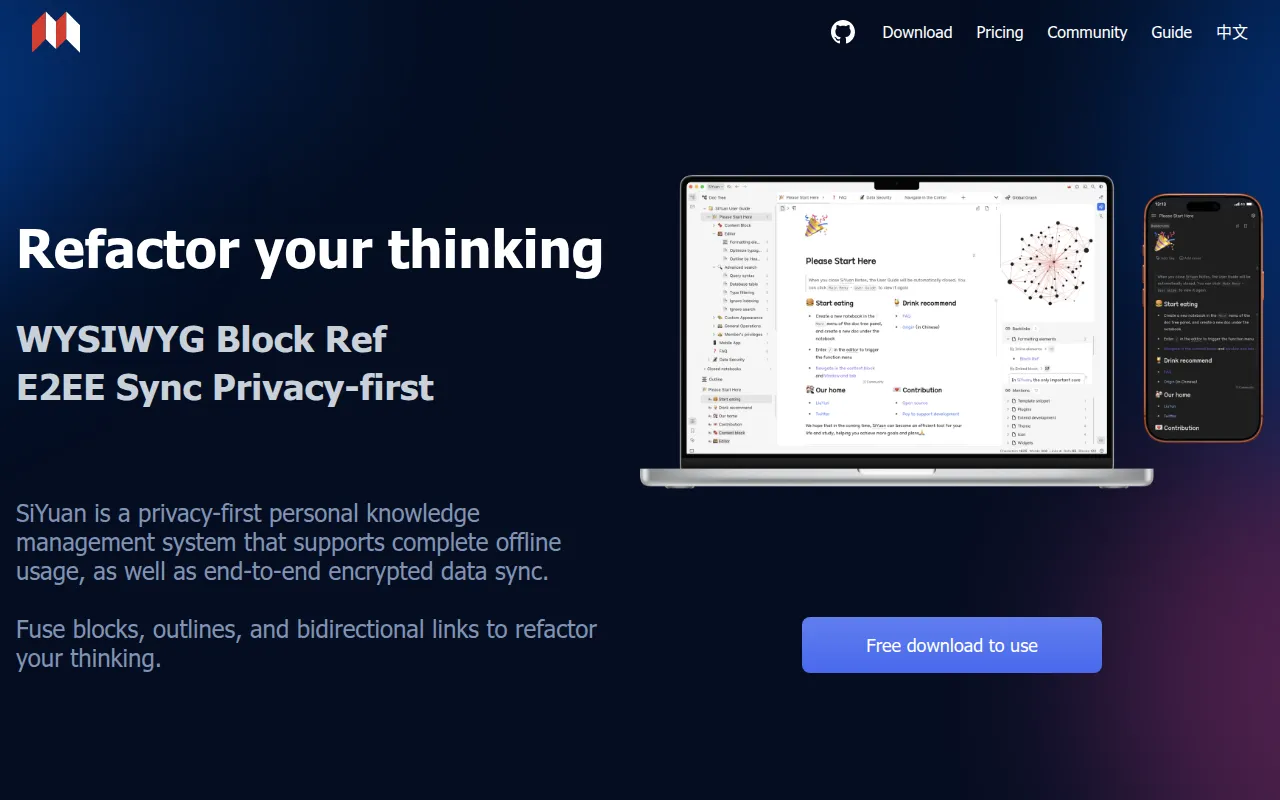
SiYuan is a privacy-first personal knowledge management app built around block-level references and a Markdown WYSIWYG editor. Instead of linking whole pages, you can reference and embed individual blocks (a paragraph, a list item, a heading) anywhere else in your notes, and those links stay two-way. It's built for people who want a local-first, block-based note system with a lot of editing and organizing power, from students building study notes to writers and researchers managing large, cross-referenced document sets.
Key features
- Block-level reference and two-way links: link and embed individual blocks, not just whole pages, with backlinks tracked automatically.
- Markdown WYSIWYG editor: a block-style editor that renders formatting as you type, supporting math formulas, charts, flowcharts, Gantt charts, and more.
- Custom attributes and SQL query embed: attach metadata to blocks and query your notes directly with embedded SQL.
- Database table view: organize structured data inside your notes using a table-view database.
- Flashcard spaced repetition: turn any block into a flashcard for spaced-repetition review.
- AI writing and Q&A chat: connect an OpenAI-compatible API for AI-assisted writing and question answering inside your notes.
- Web clipping and PDF annotation: clip web pages into your notes and link annotations directly to PDF files.
- Multi-tab editing with split screen: work across multiple documents at once by dragging tabs to split the view.
- Template and code snippets: extend the editor with template snippets and custom JavaScript/CSS.
- Cross-platform apps: desktop app plus Android, iOS, and HarmonyOS mobile apps, with a Chrome/Edge extension for clipping.
- Community marketplace: install themes, icon packs, templates, and plugins built by the community.
Ideal use cases
SiYuan works well for anyone building a large, interconnected knowledge base where individual ideas, not just whole documents, need to link to each other. Concrete scenarios:
- Academic or long-form research notes where you cite the same paragraph or claim across many documents using block references.
- A personal wiki with heavy cross-linking, where two-way backlinks help you rediscover related notes.
- Study workflows that combine note-taking with spaced-repetition flashcards generated directly from your notes.
- Self-hosting your own knowledge base on a home server or NAS via Docker, keeping data under your own control.
- Annotating and organizing research PDFs alongside your written notes.
It's a weaker fit if you just want a simple, lightweight note-taking app with minimal setup. The block-reference model and editor have a learning curve, and some advanced capabilities (detailed in SiYuan's pricing page) are reserved for paid members rather than the free tier. If your workflow is plain-text files edited in an external editor, a simpler Markdown tool may suit you better.
Installation
The project recommends installing through an app market first, since that enables one-click upgrades later.
Desktop: Microsoft Store, or download an installation package directly from the SiYuan site or GitHub Releases.
Mobile: App Store, Google Play, or F-Droid.
Package managers: SiYuan is packaged under the names siyuan and siyuan-note in various distro repositories (see Repology for current package status).
Self-hosting with Docker is the recommended way to run SiYuan on a server:
docker run -d \
  -v /siyuan/workspace:/siyuan/workspace \
  -p 6806:6806 \
  -e PUID=1001 -e PGID=1002 \
  b3log/siyuan \
  serve \
  --workspace=/siyuan/workspace/ \
  --accessAuthCode=xxx
The --workspace flag sets the data folder mounted from the host, and --accessAuthCode sets a lock-screen password (change this, since anyone with network access can otherwise reach your data). PUID/PGID let you match the container's user to your host's file ownership. A Docker Compose setup is also documented for those who prefer it, using the same environment variables, along with guidance on NAS-oriented options like Unraid and TrueNAS hosting for people who want SiYuan running alongside their other self-hosted services.
Frequently asked questions







Similar to SiYuan

