
OpenStock
OpenStock is an open-source, self-hosted stock market tracker built with Next.js, MongoDB, and Finnhub data, with TradingView charts and watchlists.
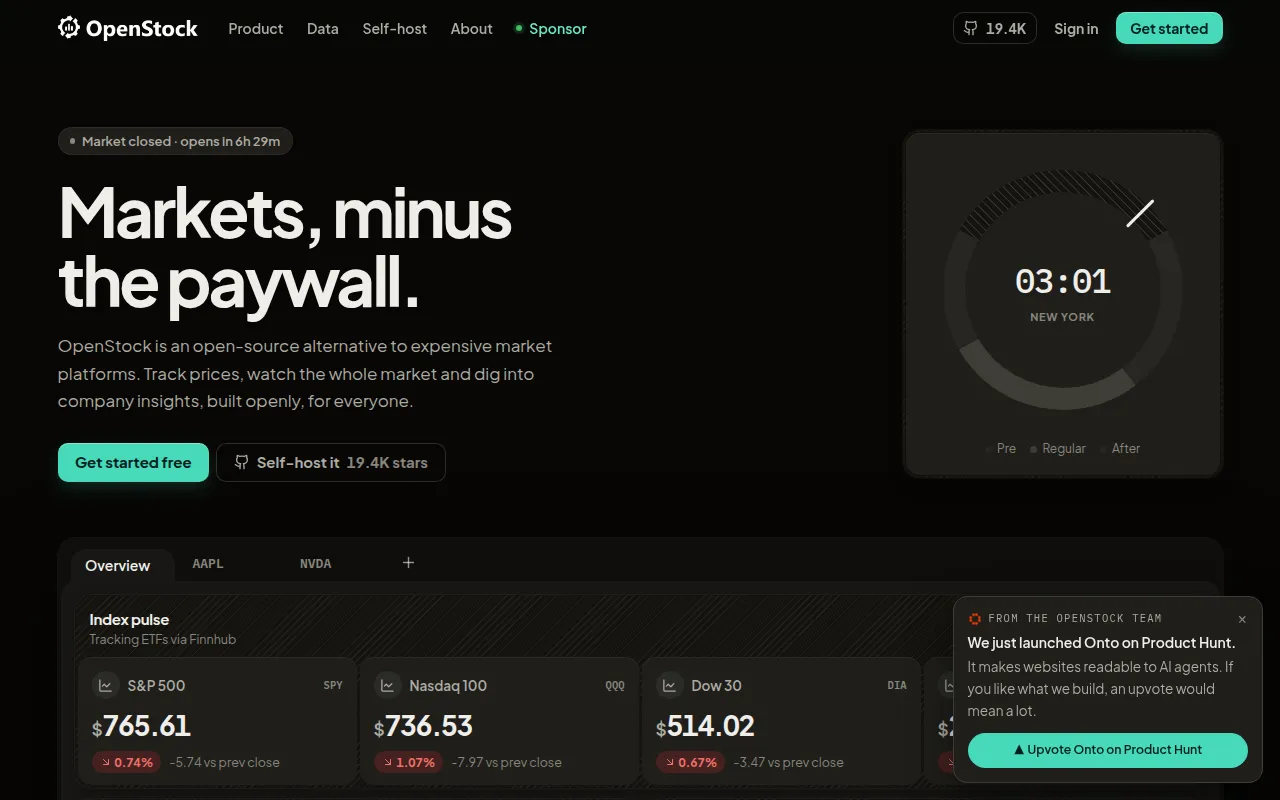
OpenStock is a self-hosted stock market dashboard for developers and teams who want market tracking without paying for a commercial platform or handing data to a third party. It's built for anyone comfortable running a Next.js app who wants watchlists, charts, and alerts on their own infrastructure, rather than for traders needing a polished consumer product out of the box.
The app pairs Finnhub market data with TradingView widgets for charts and market overviews, MongoDB for storing user accounts and watchlists, and Better Auth for login. Background jobs (welcome emails, weekly news summaries, AI-personalized intros) run through Inngest. The whole stack is TypeScript, styled with Tailwind and shadcn/ui.
Key features
- Authentication: Email/password login via Better Auth with a MongoDB adapter, protected routes enforced through Next.js middleware.
- Global search: A Cmd/Ctrl+K command palette backed by Finnhub, with debounced queries and a list of popular stocks shown when idle.
- Watchlist: Per-user watchlist stored in MongoDB, with unique symbol enforcement per user.
- Stock detail pages: TradingView symbol info, candlestick and advanced charts, technicals, and company financials widgets, plus optional cross-source sentiment data from Reddit, X.com, news, and Polymarket.
- Market overview: Heatmap, live quotes, and top stories rendered through TradingView widgets.
- Onboarding flow: Collects country, investment goals, risk tolerance, and preferred industry to personalize the experience.
- Automated email: An AI-generated welcome email (via Gemini through Inngest) and a weekly cron-driven news summary.
- Configurable data mode: Cached mode refreshes quotes hourly for everyone; a real-time mode refreshes every 15 seconds and enables email price alerts.
Ideal use cases
OpenStock fits teams or individuals who want a free, self-hosted alternative to paid market-tracking dashboards and are willing to manage their own MongoDB instance and API keys. It works well as a learning project for Next.js App Router, Inngest workflows, and TradingView widget integration, or as an internal tool for tracking a curated watchlist of stocks with basic charting.
It is not a brokerage and doesn't execute trades, so it's not a fit if you need order execution or portfolio management tied to a real account. Market data may be delayed depending on your Finnhub plan and data mode, so it's also not suited for latency-sensitive trading decisions. If you want a zero-maintenance hosted product rather than something you deploy and operate yourself, this isn't the right tool either, since running it means managing your own database, API keys, and email/AI provider credentials.
Installation
Prerequisites: Node.js 20+, pnpm or npm, a MongoDB connection string (Atlas or local via Docker), and a Finnhub API key (free tier works, though real-time data may require a paid plan). Email and AI-personalized intros are optional and need a Gmail account and Google Gemini API key respectively.
Clone and install dependencies:
git clone https://github.com/Open-Dev-Society/OpenStock.git
cd OpenStock
pnpm install
Create a .env file with your Mongo URI, Better Auth secret, Finnhub key, and Inngest keys, then verify database connectivity:
pnpm test:db
Run the app in development, and run Inngest locally for background workflows:
pnpm dev
npx inngest-cli@latest dev
For production:
pnpm build && pnpm start
Alternatively, run the full stack with Docker Compose, which spins up the app plus a MongoDB container with a persistent volume:
docker compose up -d mongodb && docker compose up -d --build
Use a local connection string like mongodb://root:example@mongodb:27017/openstock?authSource=admin in your .env when running via Docker. The app becomes available at http://localhost:3000.
Frequently asked questions





Similar to OpenStock


