
Data Formulator
Data Formulator is an open-source AI data analysis tool that connects to data sources and builds visualizations via natural language and UI.
 Tableau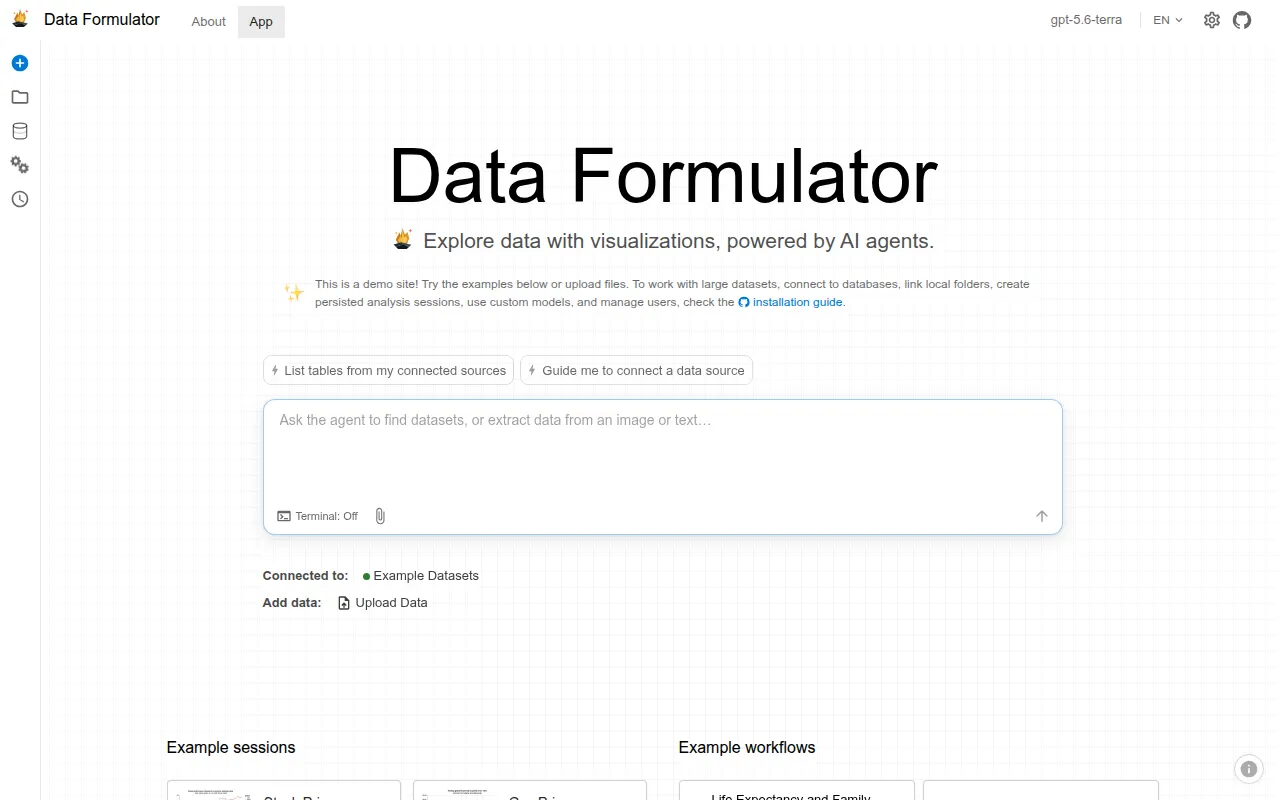
Data Formulator is a Microsoft Research project that combines UI interactions with natural language to help analysts explore data and build visualizations. It's built for data analysts, researchers, and developers who want to go from raw data (CSV, screenshots, databases) to charts and insights without writing custom plotting code for every question.
Instead of a single chat thread, Data Formulator organizes exploration into a Data Thread: a branching history of questions, charts, and explanations. You can refine a result, branch from any earlier step to try an alternative angle, or hand off the next step to an AI agent. The charts themselves are rendered through Flint, an open-source visualization language that compiles compact chart specs into polished output.
Key features
- Data connectors: load data from CSV, TSV, Excel, JSON, screenshots, text, or connect directly to databases and platforms (MySQL, PostgreSQL, MSSQL, Azure Data Explorer, S3, Azure Blob, Databricks, and more via community loaders).
- Data memory: the system tracks relationships between connected data sources so agents don't lose context as you add more data.
- Data Thread: a branching conversation history for visual analysis, letting you compare paths and revisit earlier steps instead of scrolling a flat chat log.
- AI analyst agent: an agent that can discover sources, clarify requests, propose a data-loading plan, and let you review before committing data to the workspace.
- Flint-powered charts: 30+ chart types with a semantic chart engine, chart recommendations, and a style-refinement agent for theming and polish.
- Multi-model support: works with OpenAI, Azure, Ollama, and Anthropic through LiteLLM, so you're not locked into one provider.
- Large data support: DuckDB integration for handling bigger datasets without choking the UI.
- Reports and sessions: compose finished analyses into shareable reports, with persistent sessions and workspaces across visits.
- Multilingual UI: English and Chinese interface support.
Ideal use cases
Data Formulator fits exploratory data analysis where questions change as you learn more: ad hoc business analytics, research data exploration, or building a chart-heavy report from messy source files. It's useful when you want to start from a screenshot or raw text and get to a structured chart without manually wrangling data first. Teams already using databases or data platforms benefit from the built-in connectors and automatic join handling.
It's not the right tool if you need a production dashboarding system with fine-grained access control, or if your workflow requires pixel-perfect custom chart code outside what Flint's chart engine supports. It also assumes access to an LLM provider (OpenAI, Azure, Ollama, or Anthropic), so it's not useful in fully offline, model-free environments unless you've set up a local Ollama model.
Installation
The fastest way to try it is the hosted demo at data-formulator.ai, but it also runs locally in several ways.
Via uv (recommended):
uvx data_formulator
Run uvx data_formulator --help to see options like custom port, sandboxing mode, and data storage location.
Via pip:
pip install data_formulator
python -m data_formulator
This opens the app in your browser at http://localhost:5567.
Via Docker:
docker compose up --build
Open http://localhost:5567 in your browser. Stop with Ctrl+C or docker compose down.
Desktop builds: CI produces self-contained Windows and macOS apps, available as workflow artifacts (retained 30 days) or attached to tagged GitHub Releases. These are preview builds, not code-signed or notarized, so only run them if you downloaded directly from this repository.
For development: see DEVELOPMENT.md in the repo for building and modifying your own version.
After installation, you'll need to configure an LLM provider (OpenAI, Azure, Ollama, or Anthropic) since the agent features depend on a connected model.
Frequently asked questions







Similar to Data Formulator

