
Frigate
Frigate is an open-source NVR for IP cameras that runs local object detection with Home Assistant and MQTT integration.
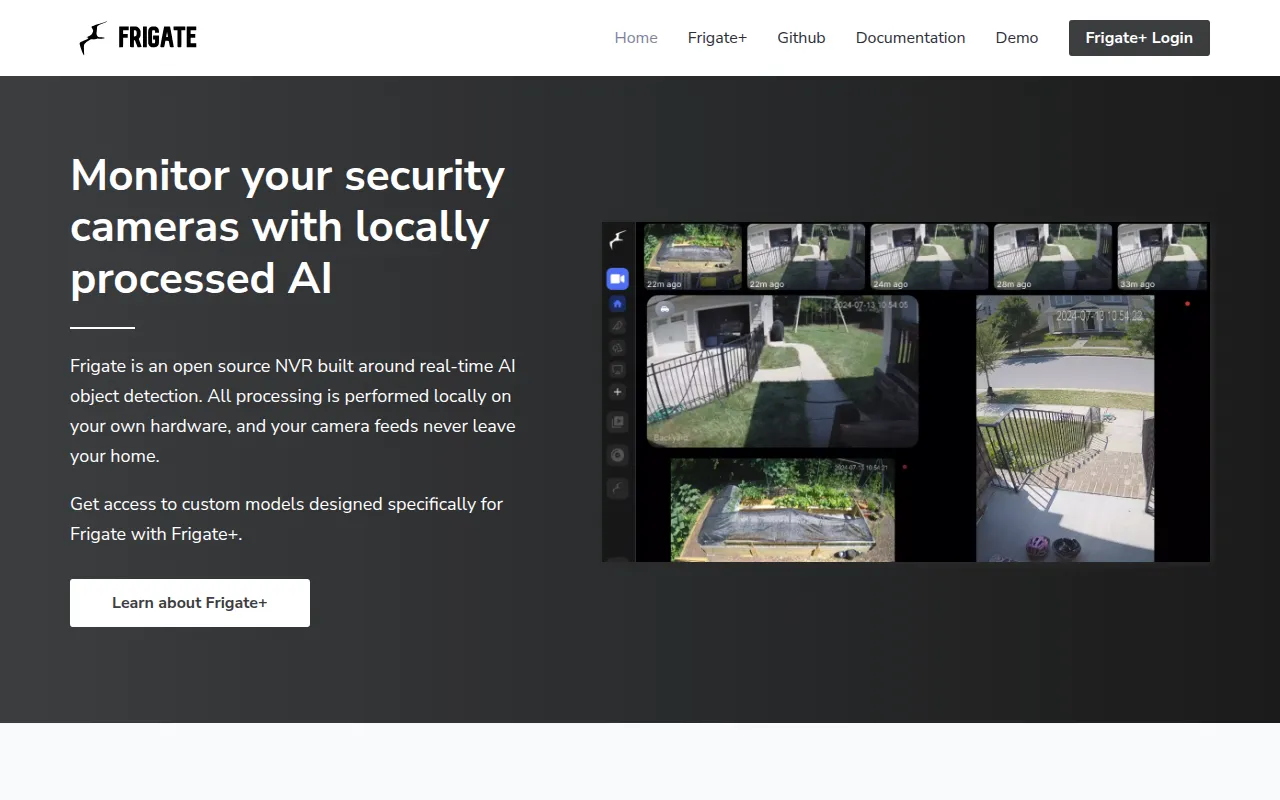
Frigate is a self-hosted network video recorder (NVR) built for people who run IP cameras and want AI object detection without sending video to the cloud. It's aimed at home automation users, especially those already running Home Assistant, and at anyone who wants a privacy-focused surveillance setup that only records or alerts on things that matter.
Instead of recording and analyzing every frame, Frigate uses lightweight motion detection to figure out where and when to run object detection, then hands that work off to TensorFlow running in separate processes. This keeps CPU load down and lets the system run in realtime even on modest hardware, though an AI accelerator (like a Google Coral) or GPU is recommended for smoother performance than CPU-only setups.
Key features
- Local object detection: uses OpenCV and TensorFlow to detect objects in camera streams without cloud processing.
- Home Assistant integration: a dedicated custom component ties Frigate's detections and events directly into Home Assistant automations.
- Motion-triggered detection: low-overhead motion detection decides when and where to run the heavier object detection step, saving resources.
- Multiprocessing architecture: object detection runs in separate processes, prioritizing realtime performance over exhaustive frame-by-frame analysis.
- MQTT support: publishes detection events over MQTT for integration with other home automation or monitoring systems.
- Retention-based recording: keeps 24/7 recordings and applies retention rules based on what was detected.
- RTSP re-streaming: re-streams camera feeds to cut down on the number of direct connections made to each camera.
- Low-latency live view: supports WebRTC and MSE for viewing camera feeds with minimal delay.
- Zone and mask editor: built-in UI for defining zones and masking out areas you don't want monitored.
- Multi-camera review: a dashboard for scrubbing through events across multiple cameras at once.
Ideal use cases
Frigate fits well if you already run IP cameras with RTSP streams and want smart, local alerting instead of a cloud NVR subscription. It's a strong match for Home Assistant users who want camera events (person detected, package arrived, car in driveway) to trigger automations without third-party services processing your video.
It also works well for anyone trying to reduce false alerts from motion-only camera systems, since object detection filters out things like wind-blown branches or headlight glare that trigger plain motion sensors.
It is not the right fit if you don't have compatible IP cameras or can't provide RTSP streams, or if you want a plug-and-play cloud service with no setup. Running Frigate well without an AI accelerator or GPU on a large number of cameras can also strain a CPU, so budget for hardware if you plan to scale beyond a couple of cameras.
Installation
Frigate ships as a container-based application, and full setup instructions (including hardware-specific detector configuration) live in the official documentation at https://docs.frigate.video. At a high level, the general process is:
- Pick a detector: choose whether you'll run on CPU, a GPU, or an AI accelerator like a Google Coral, since this affects which container image and configuration you use.
- Deploy the container: run the Frigate Docker image (the documentation site has the exact
docker runordocker-composeexamples for your platform). - Write a config file: define your cameras, RTSP stream URLs, detection zones, and masks in Frigate's YAML configuration.
- Connect Home Assistant (optional): install the Frigate integration for Home Assistant to pull events and camera feeds into your existing automations.
- Set up MQTT (optional): point Frigate at an MQTT broker if you want to publish detection events for other systems to consume.
Because exact commands depend on your hardware (CPU-only, GPU, or Coral) and deployment method (Docker, Docker Compose, Home Assistant OS add-on), check the docs site for the specific install path that matches your setup before deploying.
Frequently asked questions







Similar to Frigate


