
dbx
DBX is a Rust-built, cross-platform database client supporting MySQL, PostgreSQL, SQLite, Redis, MongoDB, ClickHouse and more in a small footprint.
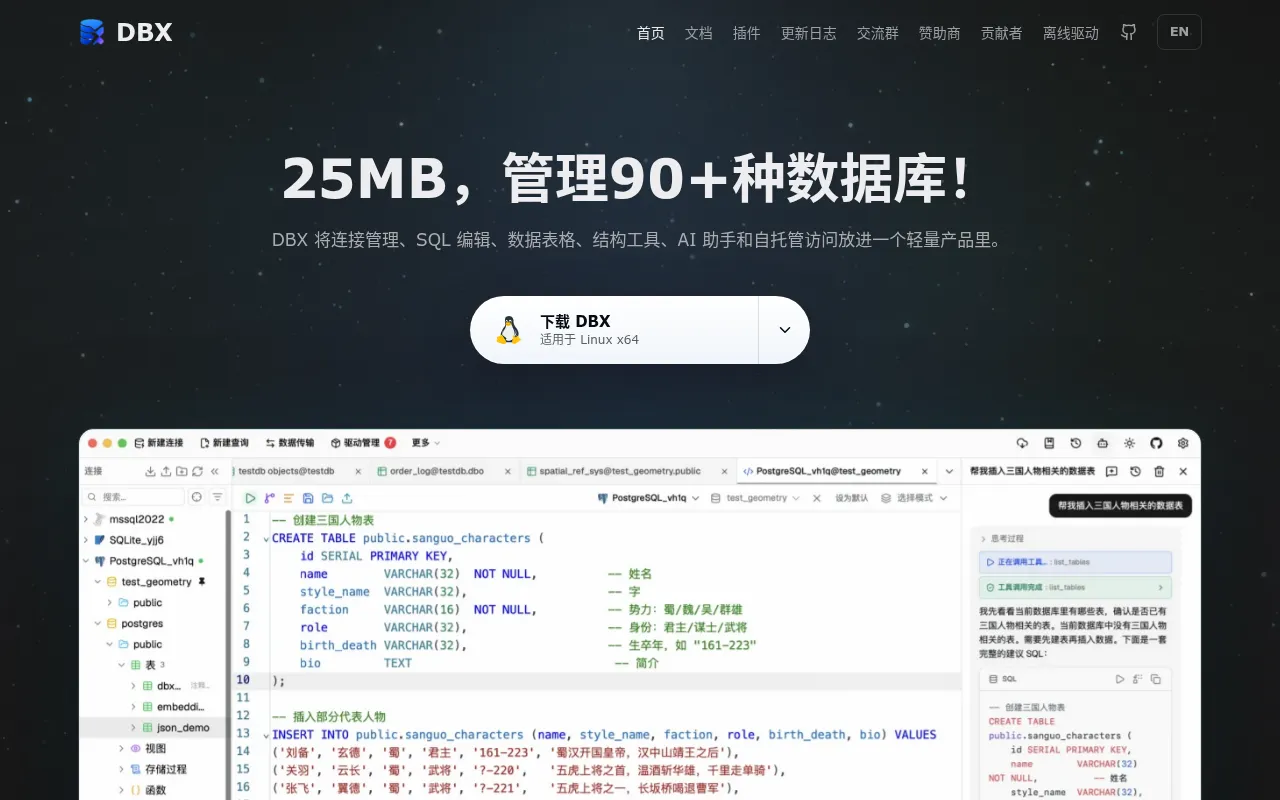
DBX is a database client built in Rust that aims to stay small (around 20-25MB) while supporting a wide range of database engines. It targets developers, DBAs, and ops engineers who need one tool to browse, query, and manage relational, NoSQL, time-series, and analytical databases without installing a heavyweight IDE for each one.
Unlike many database GUIs bundled with Electron or a full JVM, DBX ships as a compact native app across desktop platforms, and also runs as a Docker image or CLI tool. It adds a built-in AI assistant and an MCP Server, which lets AI agents and other MCP-compatible tools interact with your databases through a structured protocol.
Key features
- Broad database coverage: connects to MySQL, PostgreSQL, SQLite, Redis, MongoDB, DuckDB, ClickHouse, SQL Server, Oracle, Elasticsearch, Meilisearch, MariaDB, TiDB, Doris, StarRocks, Redshift, Cloud Spanner, CockroachDB, InfluxDB, TDengine, and other engines, including several used mainly in China's cloud market (OceanBase, openGauss, GaussDB, KingbaseES, DM, KWDB).
- Small footprint: the packaged app comes in at roughly 20-25MB, far smaller than typical Electron-based database clients.
- Multiple deployment modes: available as a desktop app, a Docker container, and a command-line tool, so it fits desktop workflows and server/headless setups alike.
- Built-in AI assistant: query assistance and database interaction through an integrated AI feature.
- MCP Server support: exposes your databases to Model Context Protocol clients, useful for connecting AI agents to your data.
- JDBC fallback: for databases without a dedicated driver, DBX can connect through JDBC, extending reach beyond the explicitly listed engines.
- Cross-platform: runs on the major desktop operating systems, matching typical Rust-native app portability.
Ideal use cases
DBX fits teams and individuals who regularly switch between different database engines and don't want a separate heavyweight client for each one. It's a good match for developers debugging queries across MySQL and PostgreSQL in the same day, for data engineers poking at ClickHouse or DuckDB analytics tables, or for anyone managing Redis and MongoDB instances alongside relational databases.
The Docker and CLI distribution modes make it a reasonable choice for server environments where you want lightweight, scriptable database access without a full desktop install. The MCP Server support is useful if you're building or using AI agents that need structured, controlled access to your database schemas and data.
It's less of a fit if you need deep, engine-specific tooling: advanced PostgreSQL query planning visualizations, MongoDB aggregation pipeline builders with every edge-case feature, or vendor-specific admin consoles built by the database maker itself. Specialized single-database tools will likely go deeper than a general-purpose client. If your workflow depends on one database exclusively and you already have a dedicated tool you like, switching may not be worth it.
Installation
DBX distributes prebuilt binaries through its GitHub Releases page for desktop platforms, and also ships as a Docker image and a CLI binary. The general paths for getting started are:
Desktop app: download the release build for your OS from the project's GitHub Releases page and run the installer or executable.
Docker: pull and run the published image, mapping the port DBX exposes for its web/desktop interface, for example:
docker pull t8y2/dbx
docker run -p 8080:8080 t8y2/dbx
CLI: install the CLI binary from the releases page (or build from source with Rust's toolchain) and invoke it directly from your terminal to connect to a database.
Build from source (standard Rust workflow, useful if a prebuilt binary isn't available for your platform):
git clone https://github.com/t8y2/dbx.git
cd dbx
cargo build --release
Check the release assets or the project's website (dbxio.com) for platform-specific installers and the current Docker image tag, since exact filenames and image names can change between releases.
Frequently asked questions







Similar to dbx


