
WezTerm
WezTerm is a cross-platform, GPU-accelerated terminal emulator and multiplexer written in Rust, with built-in tabs and panes.
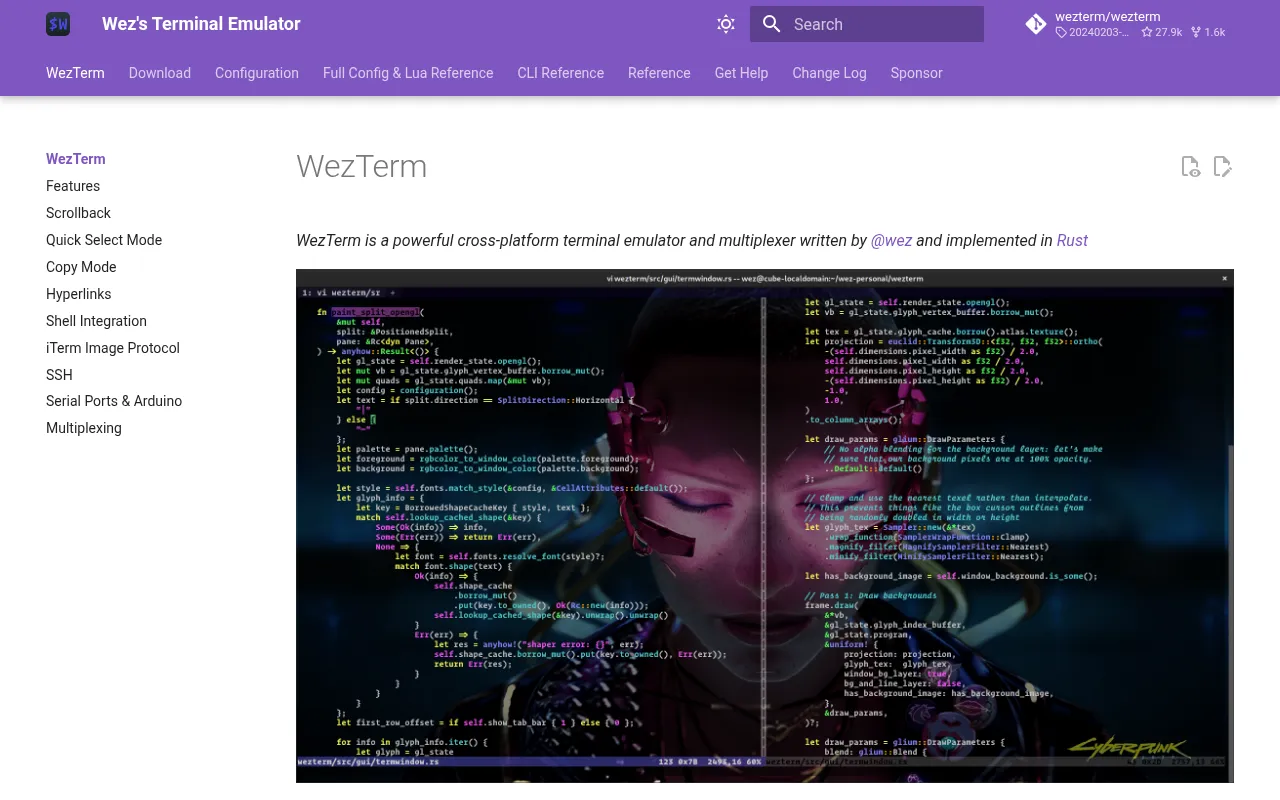
WezTerm is a terminal emulator and multiplexer that renders using the GPU. It's built in Rust and runs on macOS, Linux, Windows, and other platforms. Developers who spend most of their day in a terminal and want fast rendering, built-in multiplexing, and heavy configurability without stitching together separate tools (like a terminal plus tmux) are the target audience.
As a multiplexer, WezTerm handles tabs, panes, and split layouts natively, so you don't necessarily need a separate tool like tmux or screen unless you want cross-machine session persistence. Its configuration is done through Lua scripts, giving it a level of customization closer to a text editor than a typical terminal app.
Key features
- GPU-accelerated rendering: Uses the GPU to render terminal output, aiming for low-latency, high-frame-rate display even with heavy scrollback or animations.
- Cross-platform support: Runs on macOS, Linux, and Windows from the same codebase.
- Built-in multiplexer: Supports tabs and split panes natively, without requiring tmux or screen.
- Lua-based configuration: Every aspect of behavior, keybindings, and appearance is scriptable through a Lua config file.
- Serial port support: Listed among its topics, it can connect to serial devices, useful for embedded work or talking to hardware directly from the terminal.
- Written in Rust: Built for memory safety and performance, avoiding the class of bugs common in older C-based terminal emulators.
Ideal use cases
WezTerm fits developers who want a single application that replaces both their terminal emulator and their multiplexer, and who are comfortable editing a config file in Lua to get the exact behavior they want. It's a good match for anyone working across multiple operating systems who wants a consistent terminal experience and config that can be shared between machines.
It also fits users doing embedded or hardware work who need serial port access directly from a terminal session, and people who want GPU-accelerated rendering for smoother scrolling and rendering of complex terminal output (like image previews or heavy TUI apps).
It's probably not the right fit if you want a minimal, zero-configuration terminal with no learning curve, or if you're not willing to touch a Lua config file to adjust settings. Teams standardized on tmux for remote session persistence across SSH connections may still want to keep tmux in the loop rather than relying solely on WezTerm's local multiplexing.
Installation
Installation instructions live at the project's documentation site rather than in the repository itself:
https://wezterm.org/installation
The site provides platform-specific packages and steps for macOS, Linux (various package managers), Windows, and building from source. After installing, configuration is done by creating a .wezterm.lua file (or wezterm.lua depending on platform conventions) in your home directory or config directory, which WezTerm reads on startup to apply keybindings, appearance, and multiplexer behavior.
For support after installation, the project maintains a GitHub issue tracker for bugs, GitHub Discussions for general questions, and a Matrix room for more real-time chat with other users and maintainers.
Frequently asked questions





Similar to WezTerm


