
Claude SEO
Open-source Claude Code plugin running 26 SEO sub-skills and 19 agents to audit technical SEO, E-E-A-T, schema, GEO, and backlinks.
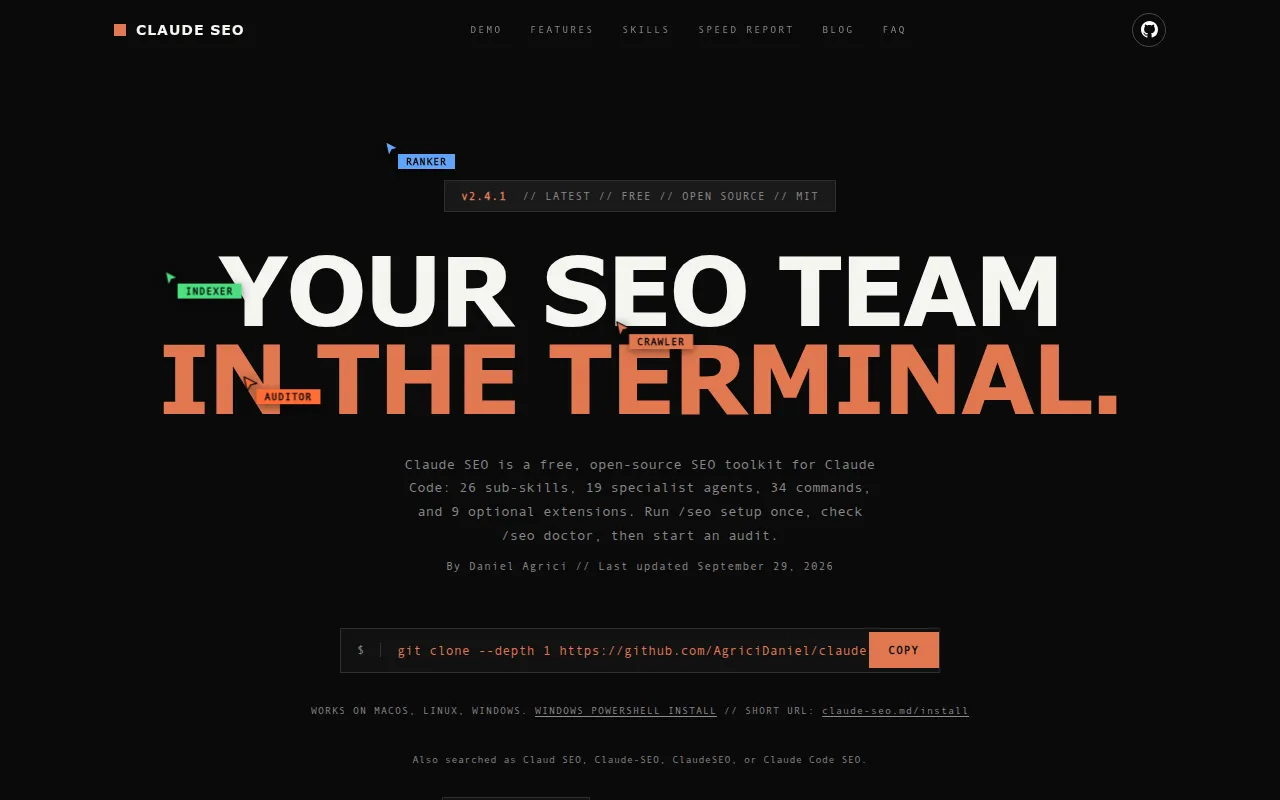
Claude SEO is an open-source plugin for Claude Code that turns the CLI into an SEO audit tool. It runs 26 sub-skills and 19 specialist agents in parallel to cover technical SEO, content quality (E-E-A-T), Schema.org markup, AI search optimization (GEO/AEO), local SEO, e-commerce, and international SEO. It's built for SEO agencies, in-house SEO leads, and freelance consultants who need repeatable, evidence-based audits instead of manual checklist work.
Each audit produces a prioritized action plan where every recommendation is tied to an observation, a dependency chain, and a way to verify whether it worked or failed. The project leans on primary-source Google documentation (the AI Optimization Guide, Search Quality Rater Guidelines, helpful-content guide) rather than SEO folklore, and it explicitly calls out deprecated schema types and retired signals so you don't waste effort on things Google no longer rewards.
Key features
- Parallel full-site audits. Up to 17 specialist agents run at once, so a full audit finishes in minutes instead of hours.
- 26 sub-skills, 34
/seocommands. Covers audit, page-level analysis, technical SEO, content/E-E-A-T, schema, GEO, local SEO, maps, hreflang, backlinks, sitemap generation, and drift monitoring. - Schema.org detection and generation. Validates existing JSON-LD and flags deprecated types (HowTo, SpecialAnnouncement, ClaimReview, and others) with replacement guidance.
- AI search (GEO) scoring. Scores passage citability, question-based heading structure, attribution density, and entity presence across Wikipedia, Reddit, YouTube, and LinkedIn.
- Core Web Vitals via Google APIs. Measures LCP, INP, and CLS using CrUX field data with Lighthouse/PageSpeed Insights fallback, including LCP subpart decomposition.
- Tiered Google API integration. A 4-tier credential system (PageSpeed/CrUX, Search Console, GA4, Ads Keyword Planner) that works with zero keys and scales up as you add credentials.
- Local SEO and GBP auditing. Checks NAP consistency, review sentiment, GBP signals, and enforces doorway-page thresholds for multi-location sites.
- Falsifiable recommendations. Every suggestion includes a first-principle observation, dependencies, and a leading indicator so a client can verify it actually worked.
- Isolated runtime. Setup creates a sandboxed Python environment with Playwright Chromium inside Claude's plugin data, with no global package or PATH changes.
Ideal use cases
- SEO agencies managing multiple client sites that want to replace quarterly manual deep audits with weekly automated runs without adding headcount.
- In-house SEO leads at SaaS, publisher, or e-commerce companies who need a second check before executive reviews, especially for schema deprecation, AI-citability gaps, and machine-translation drift that standard tools like GSC or Lighthouse miss.
- Freelance SEO consultants who want a fast, concrete 0-100 audit score to anchor a client proposal before investing hours in manual research.
- Sites chasing AI Overviews/AI Mode visibility, since the GEO sub-skill scores citability and structured data coverage against Google's own AI optimization guidance.
- Not a fit if you need a hosted dashboard, a no-code tool, or SEO software independent of Claude Code; this is a Claude Code plugin, so it requires that environment and a CLI-comfortable workflow. It's also not a replacement for paid backlink index depth (it pulls from Moz, Bing, and Common Crawl, not a proprietary crawl).
Installation
Two install paths exist: the Claude Code plugin marketplace, or a manual script install.
Plugin install (Claude Code 1.0.33+):
/plugin marketplace add AgriciDaniel/claude-seo
/plugin install claude-seo@agricidaniel-claude-seo
/seo setup
/seo setup creates an isolated Python environment inside Claude's plugin data and installs Playwright Chromium. Check readiness anytime with /seo doctor.
Manual install (Unix/macOS/Linux):
git clone --depth 1 https://github.com/AgriciDaniel/claude-seo.git
bash claude-seo/install.sh
Windows (PowerShell):
git clone --depth 1 https://github.com/AgriciDaniel/claude-seo.git
powershell -ExecutionPolicy Bypass -File claude-seo\install.ps1
The README recommends git clone over piping a remote script into a shell, since Claude Code's own guardrails flag irm | iex-style installs as a supply chain risk.
Once installed, start Claude Code and run commands like:
claude
/seo audit https://example.com
/seo schema https://example.com
/seo geo https://example.com
Google API integrations (PageSpeed, Search Console, GA4, Keyword Planner) are optional and tiered; run /seo google setup to add credentials, which are stored locally under ~/.config/claude-seo/ with restricted permissions.
Frequently asked questions







Similar to Claude SEO

