Archify
Node.js skill for Cursor, Claude Code, Codex, and OpenCode that renders typed JSON into validated HTML/SVG architecture diagrams.
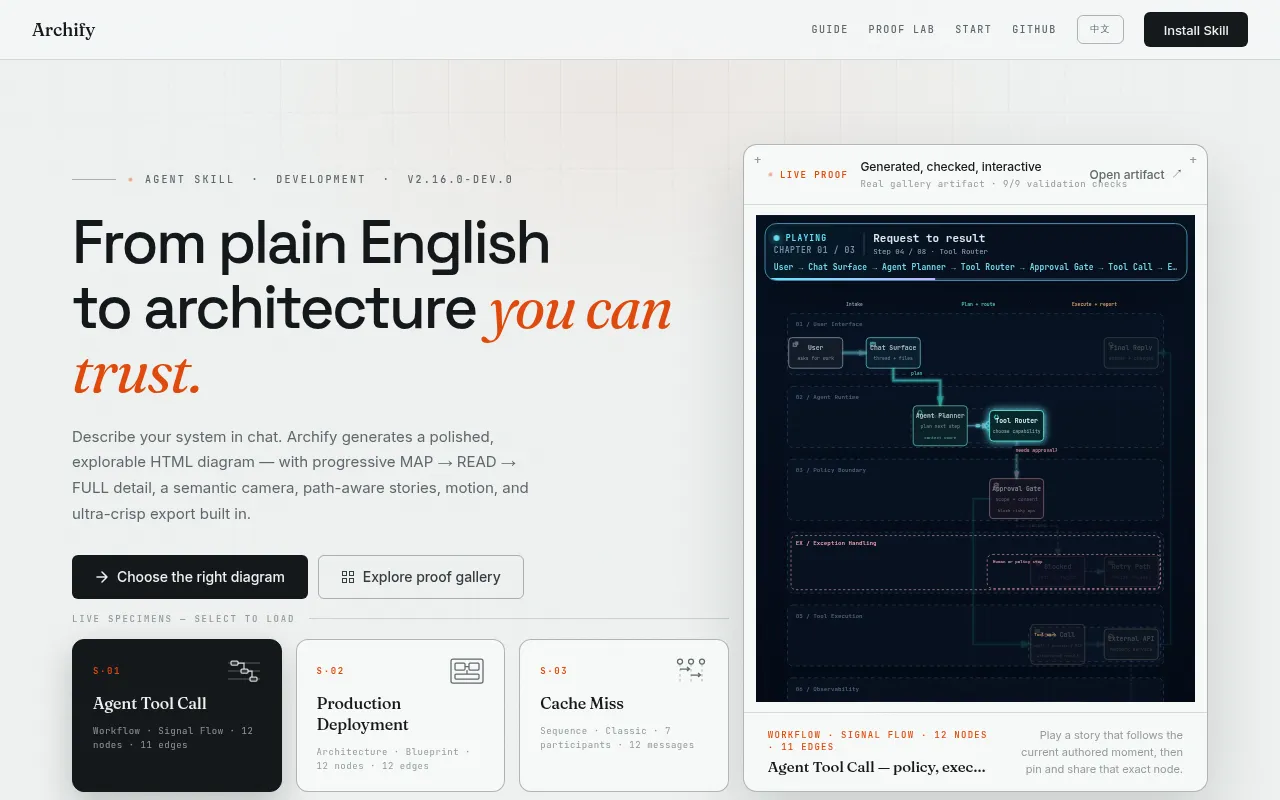
Archify is a rendering and validation system that lets AI coding agents (Cursor, Claude Code, Codex CLI, OpenCode) turn a codebase or system description into an interactive diagram, directly inside a chat session. Agents produce typed JSON intermediate representation (IR); Archify deterministically compiles that IR into a self-contained HTML/SVG artifact. It's built for developers and teams who already work with AI coding agents and want architecture diagrams generated from real repository context instead of hand-drawn boxes or generic Mermaid output.
Key features
- Five diagram types: architecture, workflow, sequence, data flow, and lifecycle views, each with a schema and reproducible source.
- Typed JSON IR: every diagram mode has a defined schema, so output is deterministic and re-editable rather than a one-off image.
- Atomic validation pipeline: schema, layout, HTML/SVG, route, and label-clearance checks must all pass before an artifact replaces the last known-good output.
- Machine-readable failure reports:
validate --jsonanddeliver --jsonreturn stable rule codes, the exact failing subject, and supported repair options instead of a stack trace. - Architecture Delta comparisons: compare two validated snapshots as Before/Delta/After with an exact machine receipt of added, removed, changed, moved, and rerouted facts.
- Grounded interaction: search nodes, trace upstream/downstream reach, probe exact routes, compare semantic roles, and play guided stories, all using only authored topology.
- Theming and export: dark/light theme toggle, four visual presets, and export to PNG, SVG, WebM, and 1200x630 share cards.
- Optional live preview: a loopback-only desktop watcher (127.0.0.1) that refreshes only after a candidate passes validation, keeping the last-good diagram visible on failed saves.
- Source evidence on request: Architecture nodes can mark themselves
SRC nand link to Git-verified files and line ranges pinned to a specific commit.
Ideal use cases
- You use an AI coding agent (Cursor, Claude Code, Codex CLI, OpenCode) and want it to generate a runtime architecture diagram of a repository, with a bounded scope like 8-12 core components and one primary path.
- You need to document a login flow, cache-fallback sequence, CI/CD workflow, or data pipeline as a shareable, themeable HTML artifact rather than a static image.
- You're reviewing a PR or design change and want a diff-style comparison of two architecture snapshots (Before/Delta/After) with exact added/removed/changed facts, instead of eyeballing two screenshots.
- You want diagrams embedded in a README or shared as a single portable HTML file with PNG/SVG/WebM export baked in.
- It is not a fit if you want a general-purpose drawing editor, freeform diagramming, or a Mermaid theme skin. Archify enforces typed IR and validation gates; it won't let you draw arbitrary shapes outside its diagram types, and it doesn't infer runtime behavior or merge-safety from the diagrams it produces.
Installation
Install the skill globally so any supported agent can use it:
npx skills add tt-a1i/archify -g
For an explicit, non-interactive Cursor install:
npx -y skills add tt-a1i/archify --skill archify --agent cursor --global --copy --yes
To try it without installing:
npx skills use tt-a1i/archify@archify --agent codex
For Raven's manual install, extract archify.zip into ~/.raven/workspace/skills, which yields ~/.raven/workspace/skills/archify (Raven is not a switcher target for the skills command).
Once installed, ask your agent directly in chat, for example:
Analyze this repository, then use archify to create a high-level runtime architecture diagram.
Show 8-12 core components, one primary path, external dependencies, and trust boundaries.
You can also drive Archify from the CLI directly inside the repo:
cd archify
node bin/archify.mjs doctor
node bin/archify.mjs guide "Show CI/CD checks, approval, deploy, and rollback"
node bin/archify.mjs validate workflow examples/agent-tool-call.workflow.json --quality showcase --json
node bin/archify.mjs deliver workflow examples/agent-tool-call.workflow.json /tmp/workflow.html --quality showcase --open --json
To compare two architecture snapshots:
node archify/bin/archify.mjs compare architecture base.json head.json architecture-delta.html --json
Open examples/web-app.html locally to try the full interactive viewer without generating anything yourself.
Frequently asked questions




Similar to Archify


